
Home Page
Know the issuer dashboard home page and all the available options.
After logging in, if a user is:
- An admin maker and checker: They will see the Customers page with a list of onboarded customers (individual customers in the Individual tab and corporate customers in the Corporate tab).
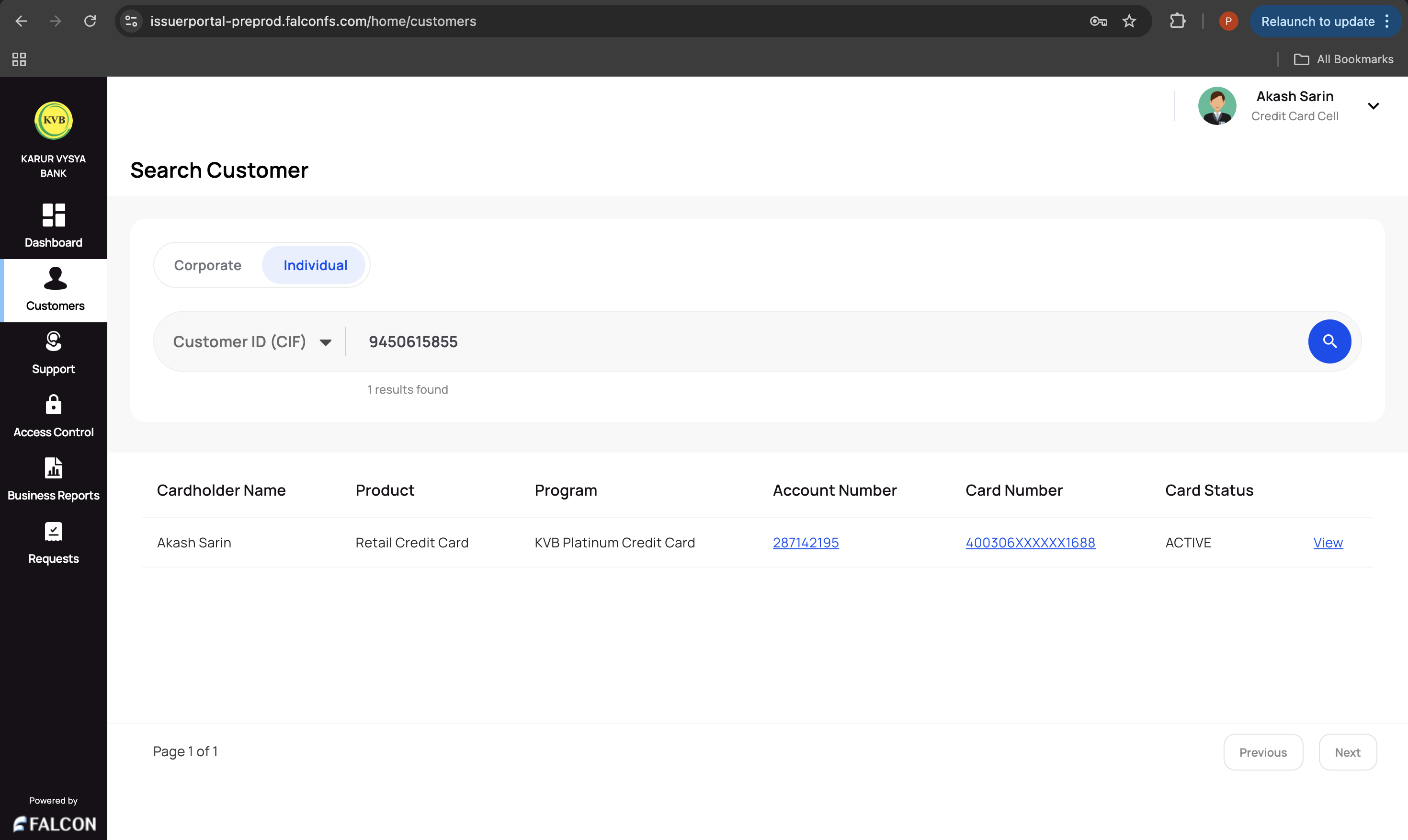
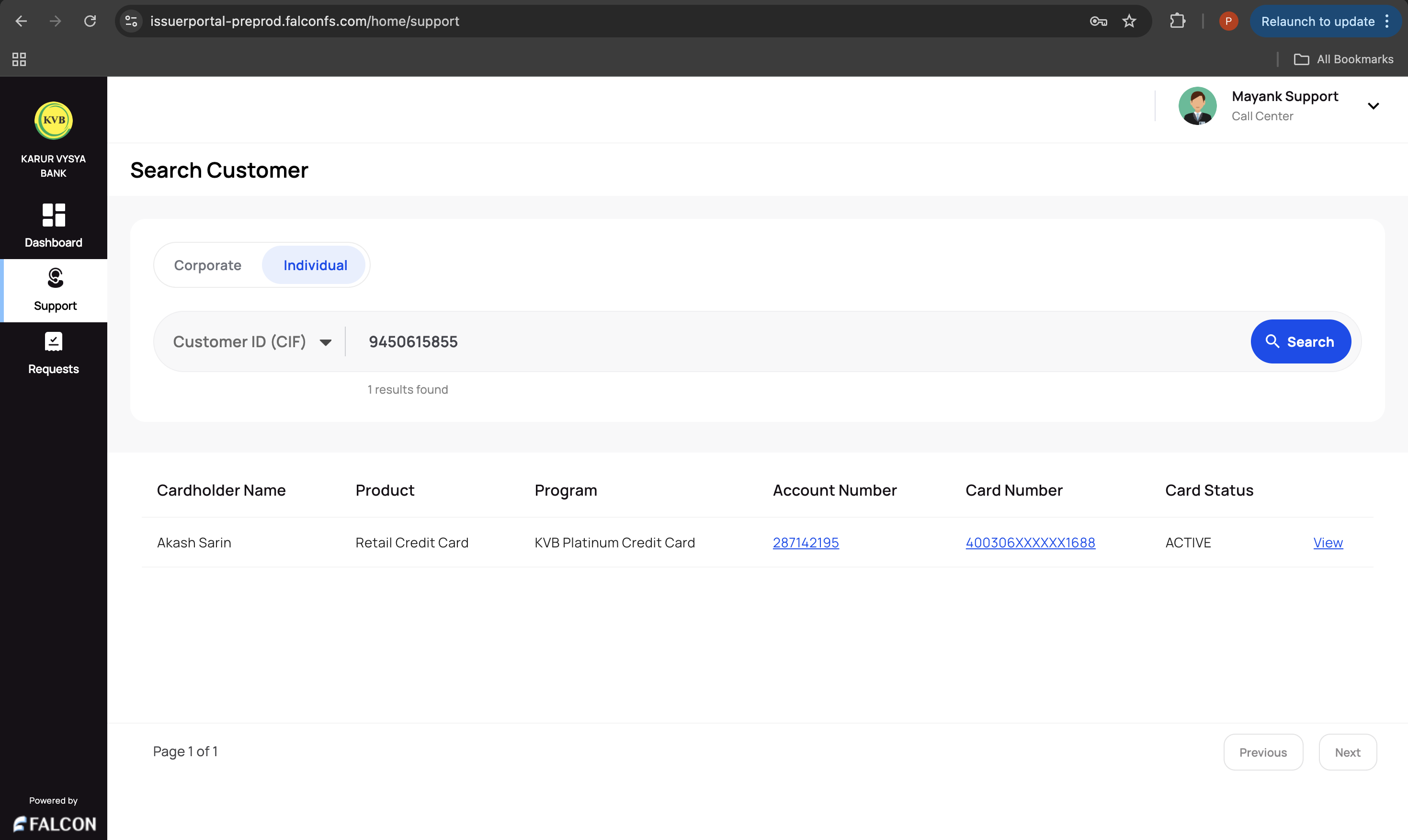
- A support maker and checker: They will see the Support page with a list of onboarded customers.
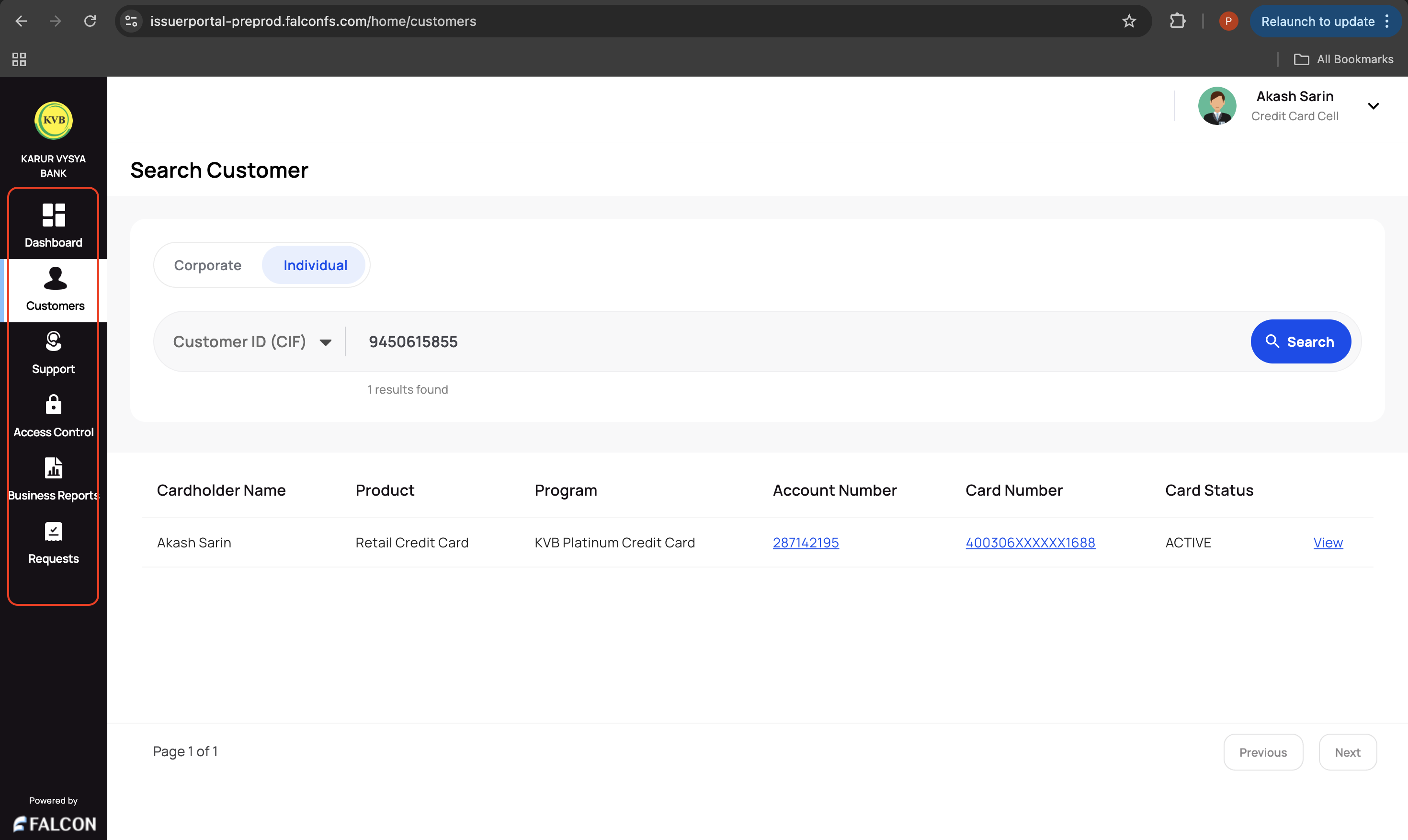
☰ Left Navigation
The left navigation bar options depend on users' roles and permissions.
- Admin Makers and Checkers: Below are the options available for admin makers and checkers.
- Customers: This page is for bank employees who want to access customer details and perform necessary actions. An admin maker and a support maker can perform various actions on transactions. Refer to the Transactions section to know more. This page has the following tabs:
- Corporate: This tab displays a list of corporate customers.
- Individual: This tab displays a list of individual customers.
- Support: This page is for the bank's support team to view customer and account details, transactions, statements, audit logs, and profile information, and take actions that are allowed for the support role.
- Access Control: This page is used to select user access.
- Business Reports: This page displays a list of business reports divided into the following categories:
- All: Displays a list of all business reports (Individual + Corporate)
- Retail: Displays a list of retail reports
- Corporate: Displays a list of corporate reports
- Requests: This page displays a list of all requests and their statuses.
- Customers: This page is for bank employees who want to access customer details and perform necessary actions. An admin maker and a support maker can perform various actions on transactions. Refer to the Transactions section to know more. This page has the following tabs:
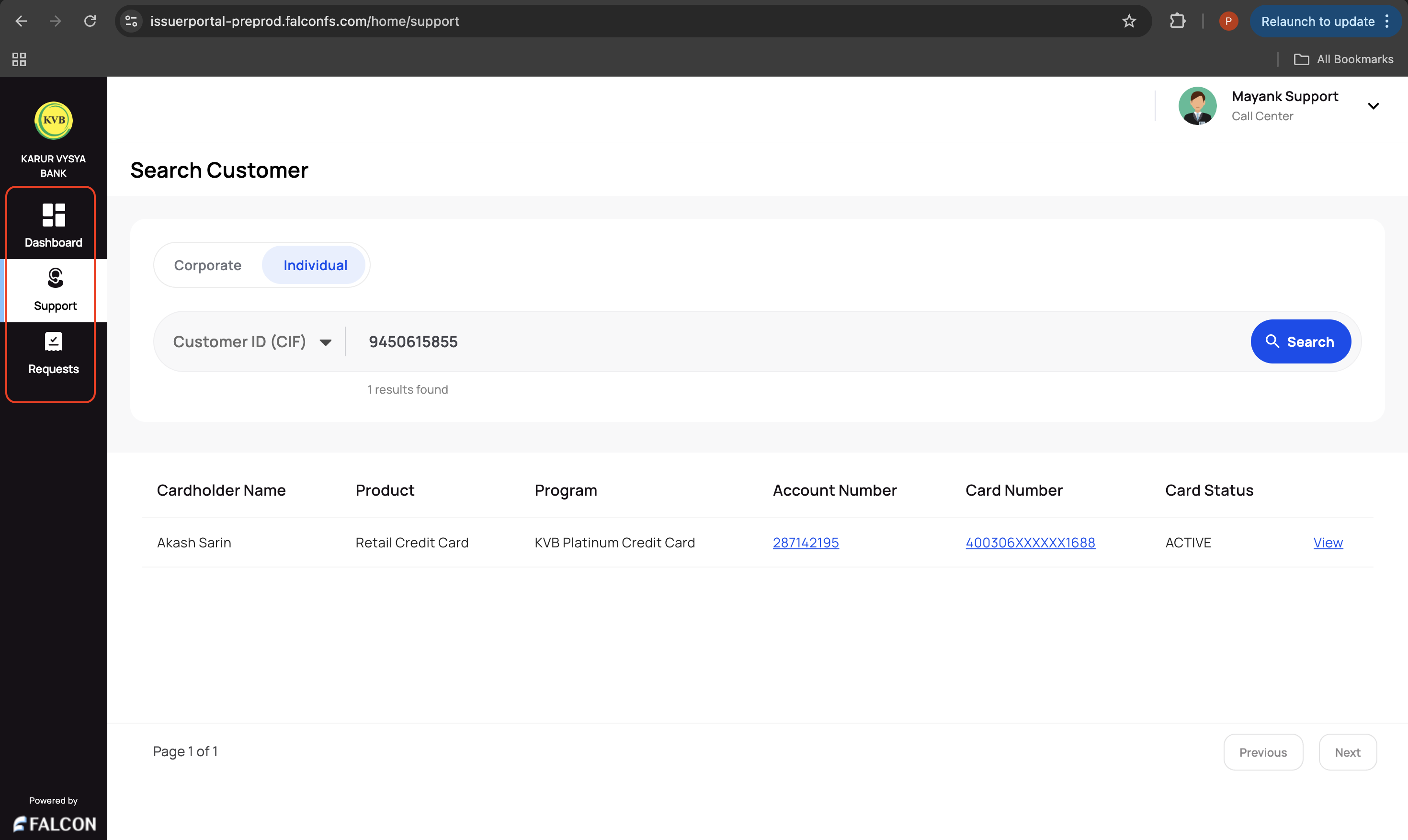
- Support Makers and Checkers: Below are the options available for support makers and checkers.
- Support: This page is for the bank's support team to view customers and account details, transactions, statements, audit logs, and profile information, and take actions that are allowed for the support role.
- Requests: This page displays a list of requests raised and their statuses.
🔍 Search Bar
Users can search for retail and corporate customers from the search bar using any of the following:
- Mobile Number
- Email (If provided by a bank for particular customers)
- Customer ID(CIF)
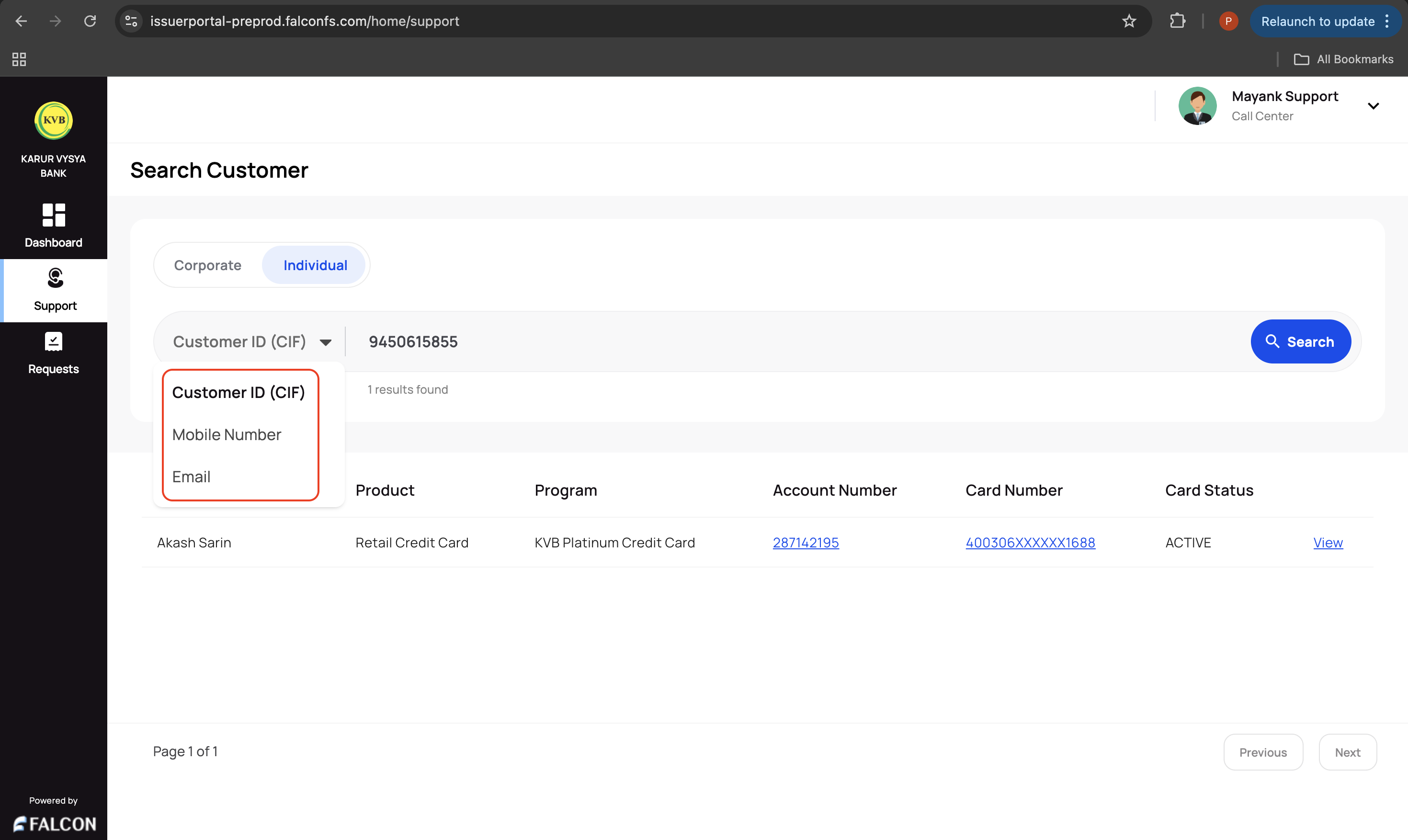
The result will show the customer if it exists with the following information and an option to view additional details:
- Cardholder Name
- Product
- Program
- Account Number
- Card Number (masked)
- Card Status
Updated 9 months ago
Related Information
Refer to the following pages for any additional information.
Did this page help you?